Billing, credits, and render capacity
Manage organization-scoped render capacity, credits, auto top-up, payment history, referrals, and Market purchases.
Updated 2026-08-04
Render Farm covers compute funding and capacity. Sulu Market covers owned products and purchase history. The Render Farm tab requires an active organization context.
Render capacity
The Render capacity card sets the organization's render allocation. GPU choices and pricing come from the live service, not these docs.
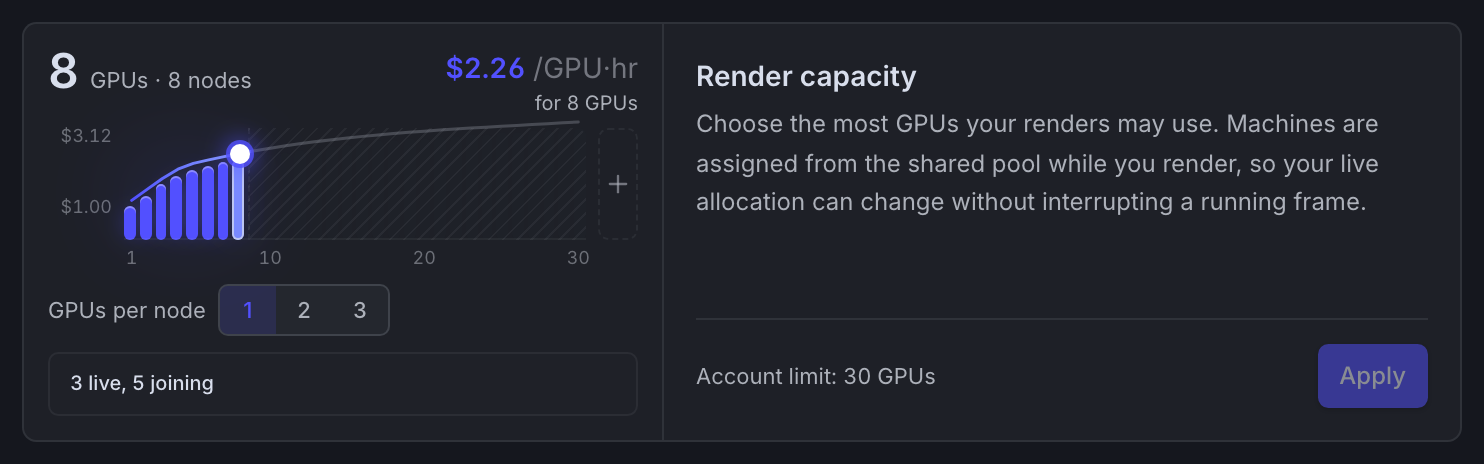
*Drag the curve to choose GPU capacity. The live rate and allocation state update as you move it.*
Review capacity and rate before saving. Given enough independent frames, more capacity finishes a job sooner and runs more billable machines at once.
Balance and add credits
The balance belongs to the active organization. The minimum purchase is $5. The interface offers $50, $100, and $150 presets plus other eligible amounts.
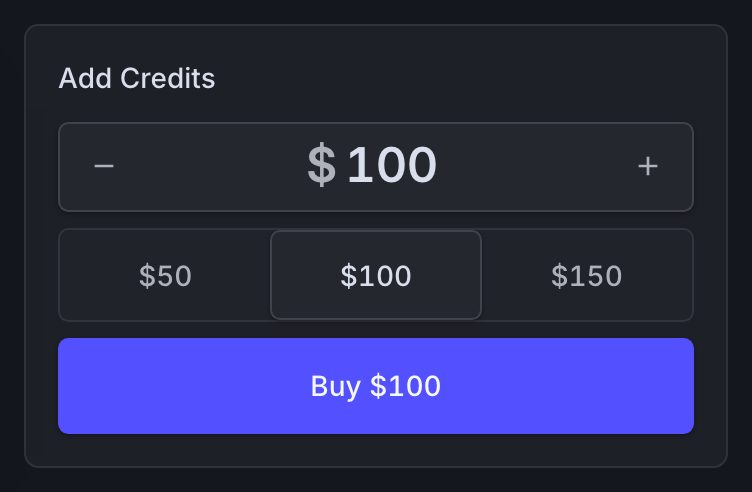
*The organization balance with amount presets and the Add Credits checkout.*
Confirm context
Open Billing from the render-farm context and verify the organization you intend to fund.
Choose an amount
Enter an amount or use a preset. Any active referral benefit follows current server configuration.
Review checkout
Confirm charged amount, bonus if any, tax, payment method, and organization.
Complete payment
Finish the secure checkout and wait for the refreshed balance and success confirmation.
A positive balance is operationally required
When the balance reaches zero, the farm can stop render machines, including machines with active frames. Do not count on active frames finishing after funds run out.
Auto top-up
Each organization has its own auto top-up setting. When you enable it, choose:
- the balance threshold that triggers a reload
- the credit amount each reload adds
The confirmation authorizes repeated automatic payments of the chosen amount plus tax whenever the balance falls below the threshold. The prompted checkout stores the required reusable payment method.
Set the threshold high enough for your capacity. A low threshold can let the balance hit zero before the reload completes.
Payment history and billing portal
The Render Farm tab lists payments and links to Stripe's customer portal. Use a payment's record and invoice actions. A render job's estimated cost is not an invoice.
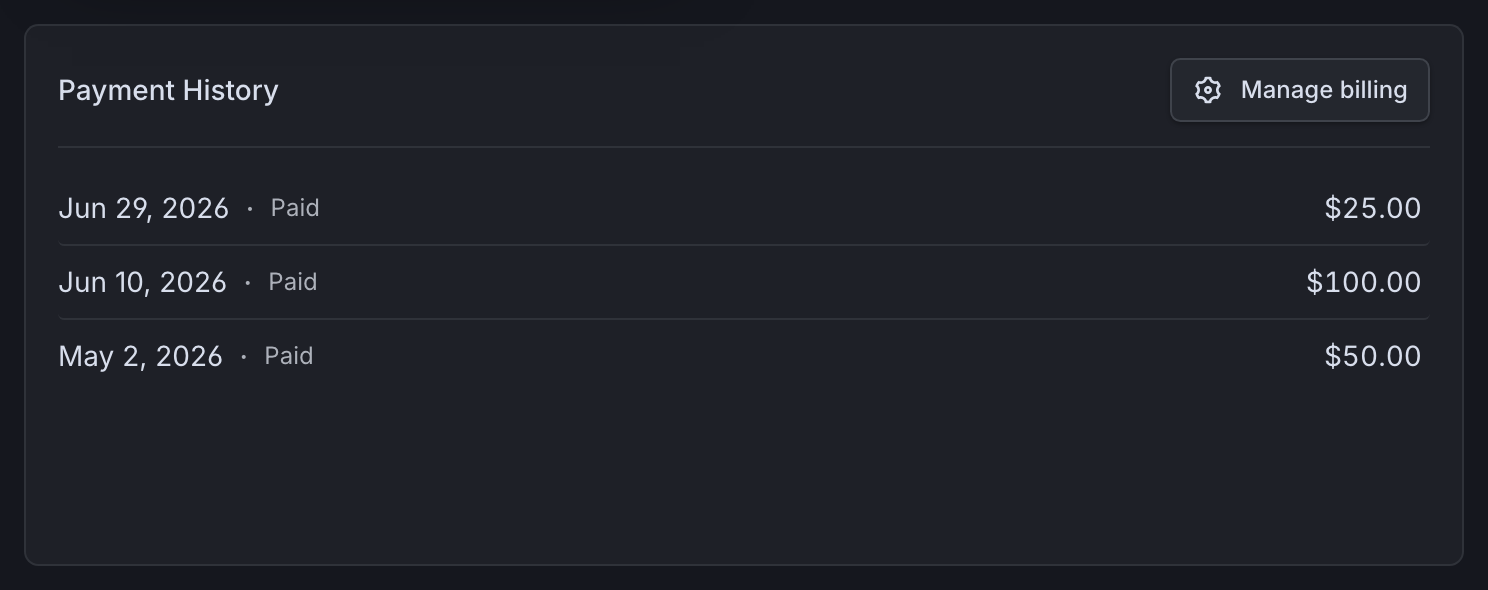
*Each payment lists its date, status, and amount, with the billing portal for invoices and payment methods.*
Referrals
The service configures referral benefits, limits, and earnings. The page shows the live values, not repeated here.
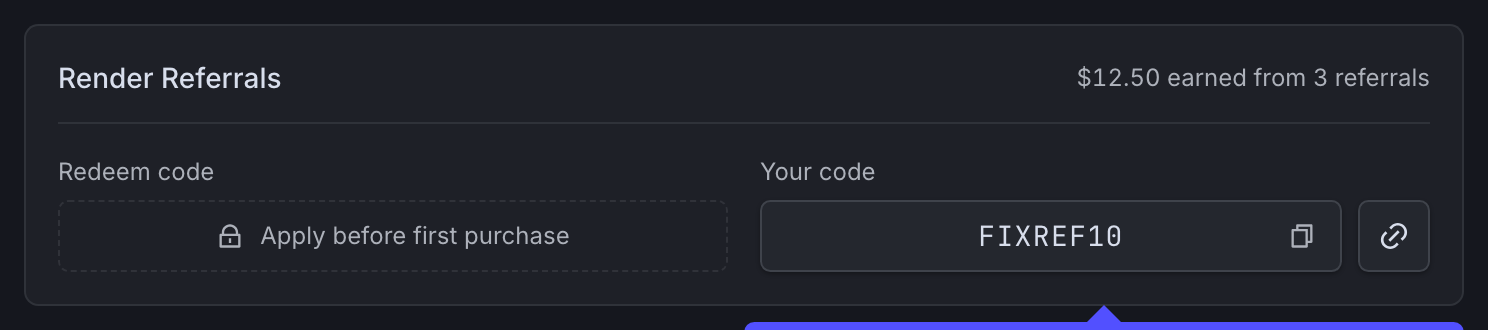
*The referrals card shows your shareable link and the configured benefit.*
- Apply a referral code before the account's first purchase.
- The page shows the active code and its current benefit.
- Eligible users can generate and share a personal code or link.
- The page shows earned value and usage when available.
One current source of truth
Use the benefit text and conditions shown in Billing at the time of purchase. Old screenshots, posts, or documentation can describe a previous referral configuration.
Sulu Market billing
The Sulu Market tab shows owned products and organization purchase records. Organization permissions can hide purchase records. Owned products stay available in the Market Library either way.
- Blocked jobs: Understand the job-list state and restore funding.
- Account context: Keep profile and organization-scoped work straight.
- Sulu Market: Find buyer, library, and seller guidance.