Superluminal documentation
Current guides for submitting Blender renders, monitoring jobs, managing outputs, billing, and using the Superluminal web app.
Updated 2026-08-04
Superluminal is a Blender render farm. The add-on submits scenes. The web app shows projects, frames, previews, logs, performance, and billing. Output downloads through Blender.
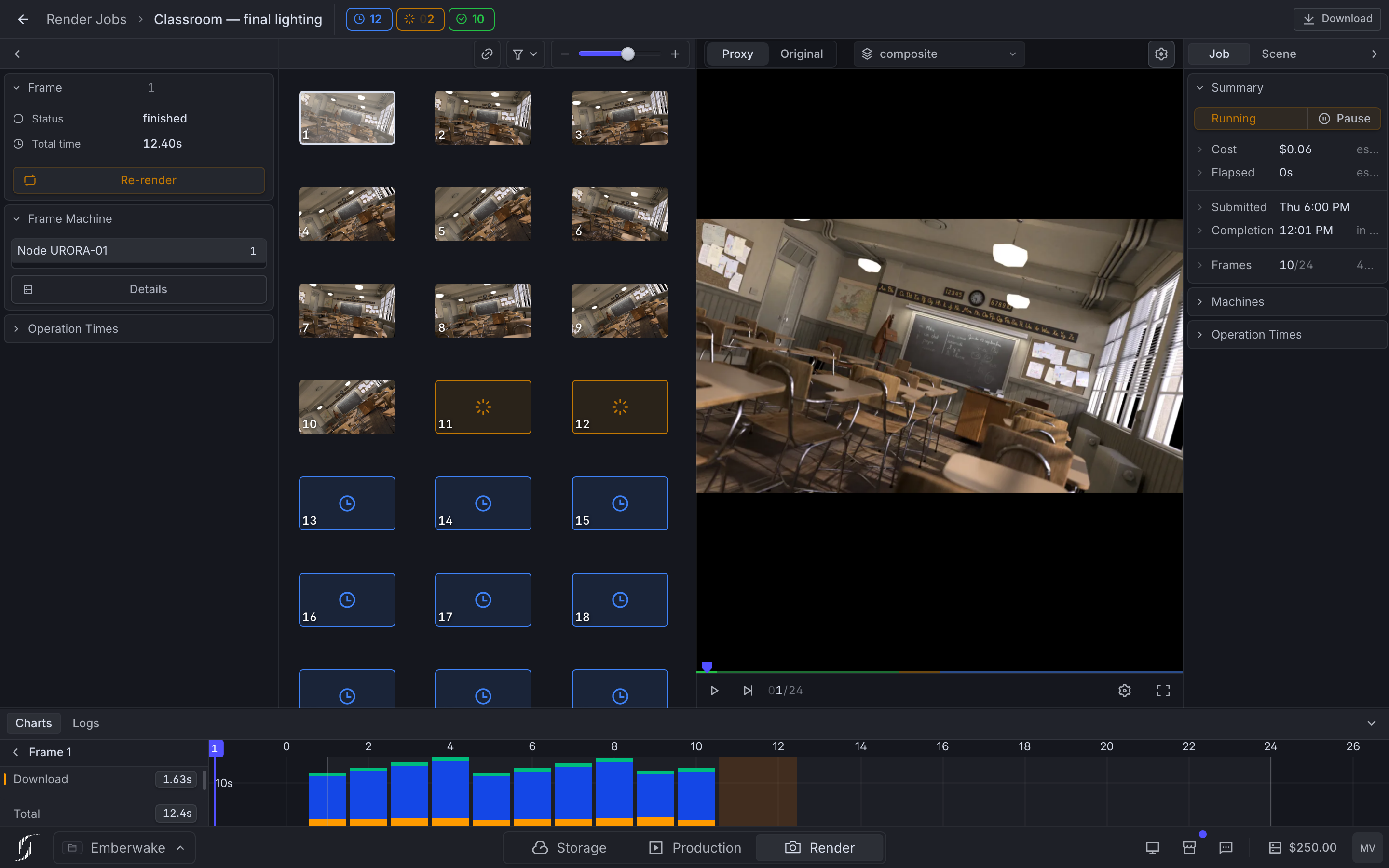
*A running job: frames, live preview, details, per-frame operation timing.*
- Start a first render: Install, connect, create a project, submit a test frame.
- Use the Blender add-on: Every control from upload mode to output download.
- Use the web app: Projects, jobs, frames, previews, metrics, and logs.
- Solve a problem: Focused checks and the details support needs.
The workflow at a glance
Prepare in Blender
Save the .blend, test the frame locally, and choose self-contained packaging or project-file reuse.
Submit through the add-on
Pick project, frame range, render order, image format, Blender version, and render-time add-ons.
Review in the web app
Watch frame state, previews, render layers, machine and operation timings, and live logs.
Download through Blender
Choose a local folder in Manage & Download. The downloader follows completed frames and can start before the job finishes.
Current product boundaries
Four limits cause most confusion:
- Rendering is submitted from the Blender add-on. The public API is experimental.
- Full-quality output is downloaded through the add-on, not the web job page. Render objects are retained for seven days.
- Rendering requires a positive organization balance. At zero, active frames are not guaranteed to finish.
- Storage, Production, and Workstations appear in navigation but are still Coming Soon previews.
Current pricing, referral benefits, and capacity live in the app. These docs do not repeat changing numbers.
New home, same product
These guides now live at /docs. Older docs.superlumin.al links redirect here.
- Core concepts: Projects, jobs, frames, organizations, credits, and files.
- Product availability: What is available, experimental, or a preview.
- Billing and credits: Balance, checkout, auto top-up, payment history, referrals.
- Support: Contact options and required diagnostics.