Add-ons and dependencies
Prepare textures, linked scenes, caches, fonts, color data, and render-time Blender add-ons for remote rendering.
Updated 2026-08-04
Dependency tracing removes most manual packaging work. It cannot prove that every external tool, license, generated path, or cache works remotely. Always validate with one representative remote still.
What to review
- images, image sequences, and UDIM tiles
- linked or appended
.blendlibraries - Alembic, USD, and OpenVDB references
- simulation and geometry caches
- fonts, LUTs, and custom color-management data
- audio or footage that drives animation or compositing
- file-output node paths and view layers
- scripts, binaries, environment variables, and network resources
- third-party add-ons that affect evaluation or rendering
The list is not a guarantee that every format or third-party integration works in every configuration.
Include Enabled Addons
The add-on lists the non-default add-ons enabled locally. Select only what the remote render needs. The worker packages the selection and installs it on the render nodes.
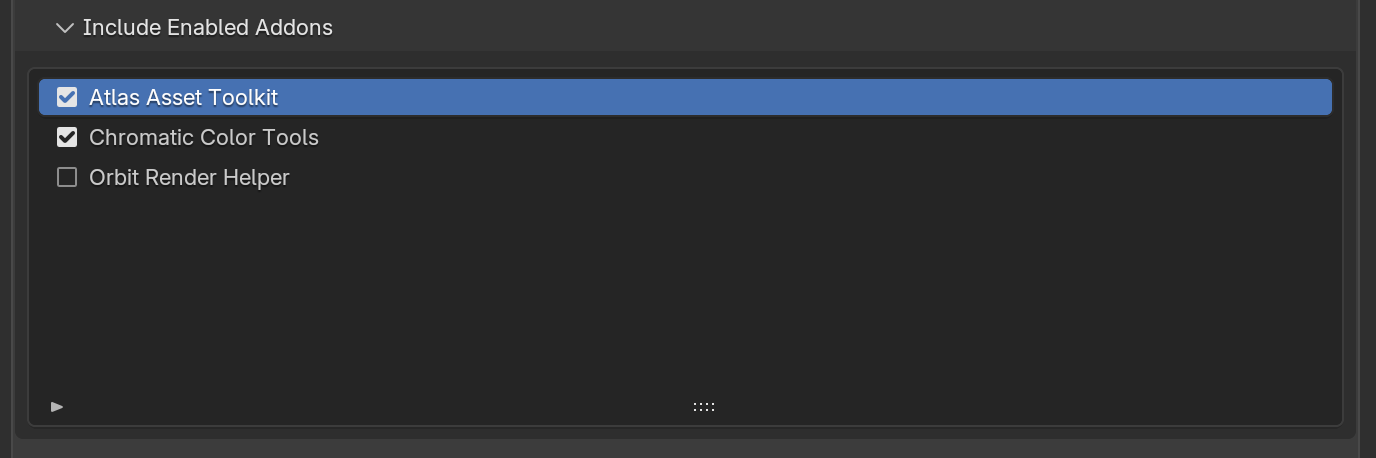
*Package only add-ons that affect evaluation or rendering on the remote node.*
Include an add-on when it changes something evaluated at render time: generated geometry, animation, a renderer integration, camera behavior, or a required node type.
Skip add-ons that only change modeling or interface workflow and leave ordinary Blender data behind.
Licenses and native dependencies still apply
Packaging Python files does not transfer a commercial license, sign in to an external service, install an operating-system library, or make a platform-specific binary compatible. Verify farm-use terms and runtime requirements.
Caches and generated assets
Before submission:
- Bake or export data that is expected to be static.
- Save the scene after the bake.
- Confirm Blender can reopen the file and find the cache from disk.
- For PROJECT, confirm the cache lives under the selected project root.
- Scrub or render a frame that actually reads the cached data.
- Submit that representative frame and compare full output.
A packed .blend does not contain every cache. Packing behavior varies by asset type, and some external files stay separate by design.
Linked files and paths
For PROJECT, use paths writable relative to the common root. If a dependency sits on another drive or outside the root, pick a fix:
- move it beneath the production root and relink it
- create a project-local copy when licensing and workflow allow
- widen the project root to include it, without sweeping in unrelated data
- submit with ZIP
Validation recipe
Open cleanly
Restart Blender or reopen the scene so cached in-memory data does not hide a missing file.
Check paths
Use Blender's missing-file reporting and inspect warnings in Upload Settings.
Render locally
Render the production view layer and a frame that exercises linked data, caches, and add-ons.
Submit one frame
Use the same upload mode, Blender version, image format, and experimental settings planned for the animation.
Inspect remotely
Check the web preview and logs, then download the full frame and compare it with the local render.
- Upload mode: Choose path-tolerant ZIP or reusable PROJECT mapping.
- Frame errors: Use logs and a reproducible local frame to isolate a dependency problem.