How Superluminal prevents missing Blender files
By Superluminal Engineering
Superluminal finds and packages Blender textures, HDRIs, linked libraries, sequences, caches, fonts, and other external project files before rendering.
Published 2026-07-29 · Updated 2026-07-29
A Blender .blend file is a database of scene data and references; it is not necessarily a self-contained project. Textures, HDRIs, linked libraries, image sequences, movie clips, fonts, IES profiles, OSL scripts, volumes, geometry caches, simulation data, and add-on-generated files may live elsewhere.
Superluminal's Blender add-on uses a quick Blender-aware scan for early feedback and a deeper Blender Asset Tracer packaging path for submission. It distinguishes important exceptions instead of turning every issue into a generic upload failure. The mechanism reduces missing-file risk, but no tracer can infer every runtime-generated, remote, custom-script, or undeclared add-on dependency.
Two dependency views, two jobs
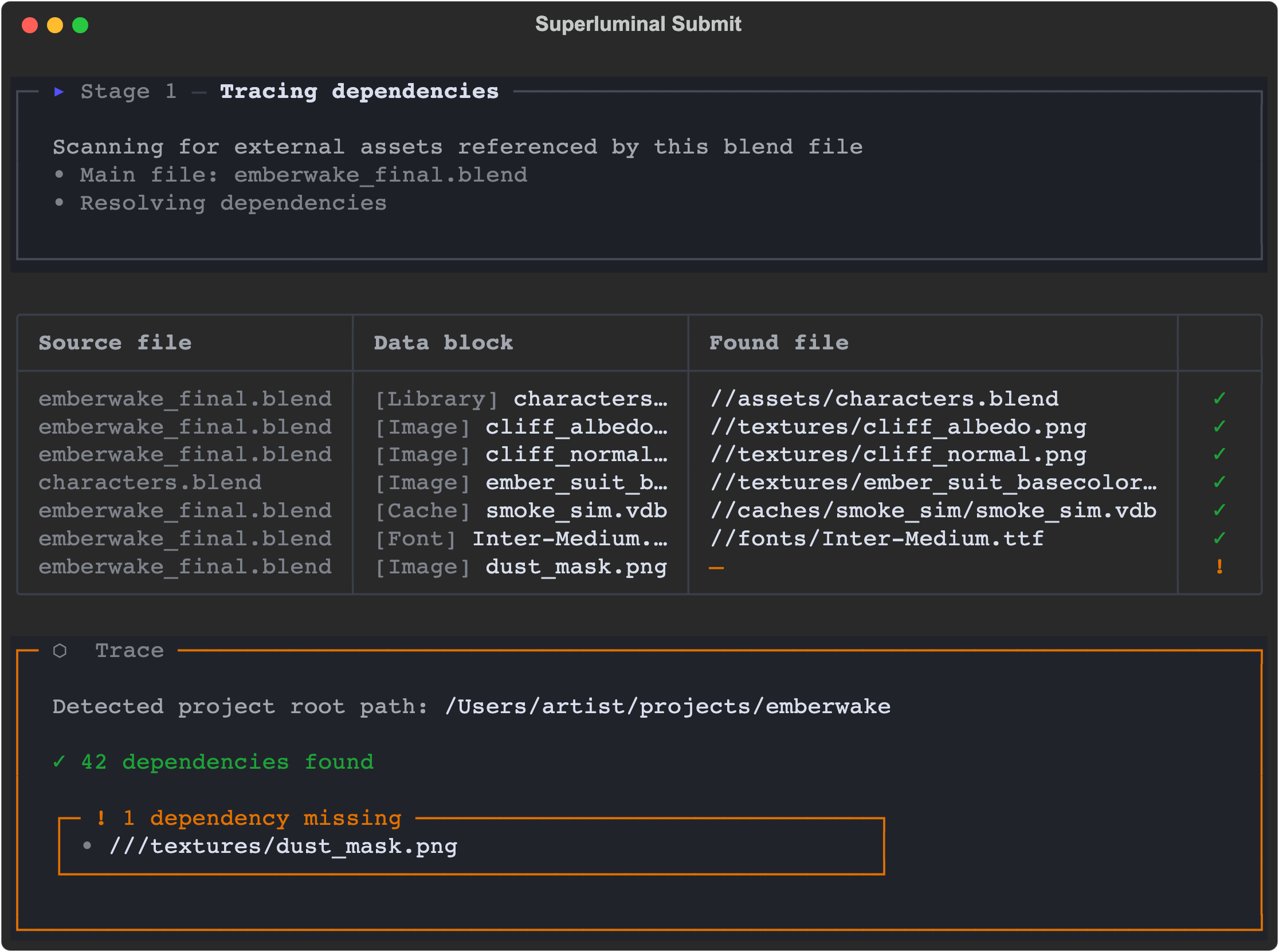
The quick scanner is designed for the Blender interface. It begins with Blender's file-path map, includes linked libraries, resolves relative paths with Blender's path rules, and adds explicit handling for Video Sequence Editor strips, IES nodes, and external OSL script paths. It groups findings into useful classes such as images, movies, sound, volumes, caches, fonts, text or scripts, libraries, and IES profiles.
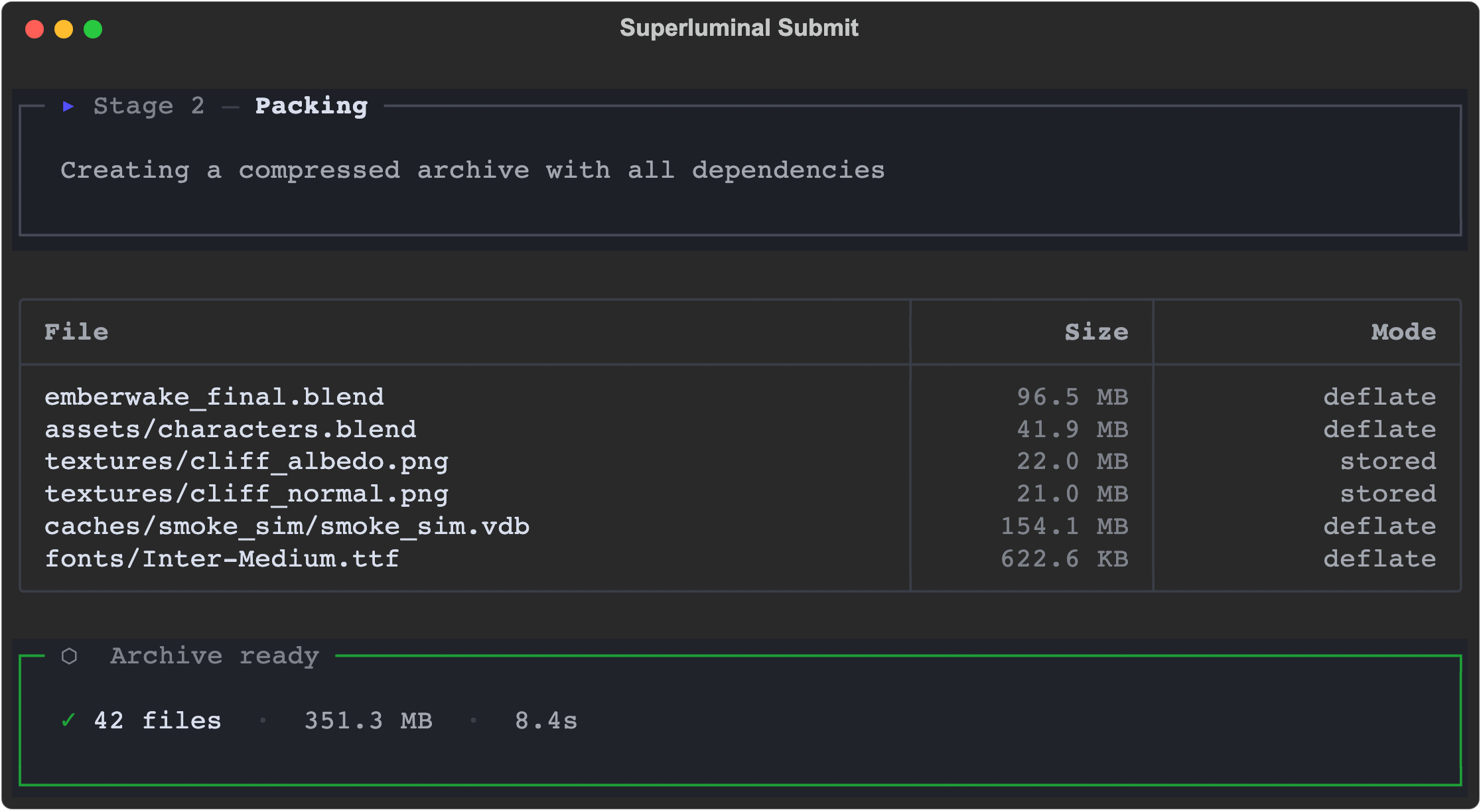
The deeper trace is designed to build the submission. Blender Asset Tracer follows supported references, opens linked .blend files, expands sequence and directory-style dependencies, records raw usages, and separates missing, unreadable, optional, and packed cases. The packer then prepares either one ZIP archive or a project-oriented file set.
These views can differ without contradicting each other. The quick scan summarizes what Blender exposes for a responsive warning. The deep trace performs the more expensive work needed to assemble files and rewrite or map paths for the render environment.
Dependency classes and current boundaries
| Dependency class | How it is found | Common failure | Current coverage |
|---|---|---|---|
| Images and HDRIs | Blender file map and BAT trace | Missing texture produces pink or flat output | Scanned and packaged |
| Image sequences | VSE elements and sequence expansion | One frame or tile is omitted | Sequences expanded during packaging |
| Movies and sound | File references and VSE strips | Source is outside the project or unreadable | Scanned and packaged |
Linked .blend libraries | Library-aware paths and nested trace | A nested library uses a different relative base | Nested links traced |
| Fonts | Blender file references and type classification | Text shape changes when a font is absent | Scanned and packaged |
| IES profiles | Explicit node path handling | Light distribution falls back or fails | Explicit path handling |
| External OSL and scripts | Explicit node path and script classification | Worker cannot locate or execute the source | Explicit path handling |
| Volumes and geometry caches | File-path and extension handling | A simulation renders its rest state | File paths scanned |
| UDIMs and directories | BAT expansion and diagnostics | A tile or directory member is missing | Sets and directories expanded |
| Runtime-generated or remote data | Often absent from Blender's declared references | Code constructs a path or downloads data during render | Explicit limitation |
Unusual nested layouts, add-ons, permissions, and runtime-generated paths still deserve a small test render before the full sequence.
Blender path semantics matter
Blender's // paths are relative to a .blend file. A path inside a linked library may therefore have a different base from the same-looking path in the main scene. A reliable scanner must resolve the path with the owning library context rather than joining every relative path to the top-level scene directory.
Sequences add another layer. A Video Sequence Editor image strip can store one directory and many element filenames instead of one file path. UDIM sets, simulation folders, and caches can represent families of files. A tracer that sees only the first member may produce a package that opens but fails later.
Packed data is different again. A dependency may already be embedded inside the .blend; that should be recorded rather than copied as if it were an external file.
ZIP mode versus project mode
| Mode | Intended behavior | Strength | Boundary to review |
|---|---|---|---|
| ZIP | Package the .blend and discovered dependencies into one archive | Portable submission with one scene package | Large projects may need repeated archive work |
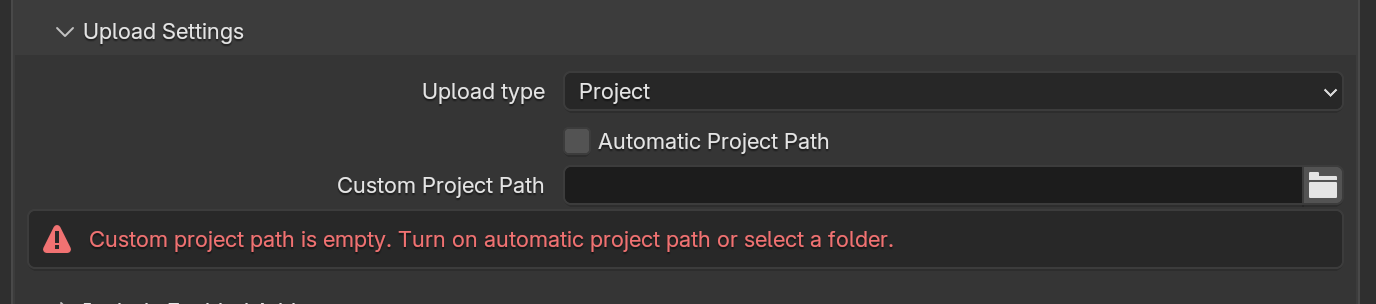
| Project | Preserve a project-root layout and transfer changed files on later submissions | Reuses a stable project structure | Files outside the chosen root, especially on another drive, need attention |
Project mode can automatically derive a project root from the dependency set or use an artist-selected root. If a dependency lives on another drive, it cannot always be represented beneath that root; the interface warns that such files can be excluded and suggests reviewing ZIP mode. The warning is not an automatic repair.
The correct choice depends on project layout, size, iteration pattern, and licensing. A small self-contained job may be simplest as ZIP. A large production with a disciplined shared root may benefit from project mode. Neither mode makes an undeclared runtime input discoverable.
Read the exception categories correctly
| Category | Meaning | Useful next action |
|---|---|---|
| Missing | The referenced item was not found | Relink it, restore it, pack it, or remove the stale reference |
| Unreadable | The path exists but could not be opened | Check permissions, placeholders, mounts, locks, and file health |
| Cross-drive | Project mode cannot place it under the selected root | Move it under the project, change the root, or review ZIP mode |
| Absolute path | The scene relies on a machine-specific location | Convert to a portable project-relative layout where appropriate |
| Optional | The tracer recognizes a reference that may not be required | Confirm whether the render path actually needs it |
| Already packed | The data is embedded in the .blend | Verify it is current; do not double-count it as external |
| Undeclared | A script, add-on, or service resolves data only at runtime | Document and stage it explicitly |
Missing and unreadable should not be merged. A missing file and a permission-denied file require different fixes. Likewise, an absolute path can exist locally and still be nonportable.
Catch missing dependencies before rendering
The goal is not a magical green check; it is a traceable package plus explicit exceptions.
- 01 · Trace references
Walk supported Blender data and referenced blend files to discover external assets.
- 02 · Resolve and classify paths
Normalize Blender-relative paths and identify missing, unreadable, absolute, or cross-drive cases.
- 03 · Build the package
Copy supported dependencies, handle sequences, and preserve a mapping the render runtime can use.
- 04 · Verify a representative output
Inspect an early frame and logs because a tracer cannot discover undeclared runtime behavior.
Classroom upload example
We ran the CC0 Classroom scene by Christophe Seux through the Blender 5.1 ZIP workflow. The full Classroom submission snapshot is available for anyone who wants the machine-readable details.
| Upload detail | Result |
|---|---|
| Dependency records | 61 |
| Records classified OK | 60 |
| Already packed | 1 |
| Missing | 0 |
| Unreadable | 0 |
| Files packed | 49 |
| Package bytes | 112,047,985 |
| Transferred bytes | 88,333,722 |
| Transfer elapsed | 16.326 seconds |
| Transfer errors | 0 |
Dependency records and packed files count different things, so they should not be subtracted. Classroom contained no deliberately broken paths, but it gives a useful picture of a successful scan, package, and upload. See the dependency compatibility guide for more detail.
Preflight checklist before a farm render
- [ ] Save the main
.blendbefore scanning. - [ ] Use Blender's external-data report to identify obvious missing files.
- [ ] Make portable paths relative where appropriate.
- [ ] Open every linked library and confirm its own references.
- [ ] Verify complete UDIM, image-sequence, and movie ranges.
- [ ] Bake required simulations and record cache directories.
- [ ] Check volumes, Alembic, USD, geometry caches, fonts, IES, and OSL files.
- [ ] Identify add-ons that generate or load files dynamically.
- [ ] Review missing, unreadable, absolute, optional, and cross-drive findings separately.
- [ ] Confirm that licenses permit packaging and remote execution.
- [ ] Choose ZIP or project mode from the actual directory topology.
- [ ] Retain the scan summary and package manifest.
- [ ] Render representative non-adjacent frames.
- [ ] Inspect logs and original outputs before scaling the full range.
Selected third-party code has its own environment boundary. Use the add-on guide to check binaries, licensing, services, and activation rather than assuming an add-on folder contains all of its data.
Diagnosing common render symptoms
Pink, black, or unexpectedly flat materials
Start with image and HDRI paths. Confirm the exact file, colorspace, UDIM tile set, and linked-library base. A thumbnail can show the symptom, but the dependency report and original scene references identify the cause.
Missing objects or default-looking assets
Inspect linked libraries, collection overrides, generated geometry, and add-on activation. If the object comes from a nested .blend, verify that the nested file and its dependencies both traveled.
Frozen or incorrect simulations
Confirm that the cache was baked for the required frame range and that the complete cache directory is present. Test non-adjacent frames; a frame-one render may not exercise the missing temporal data.
Different text layout
Check external fonts and whether the intended font was embedded or packaged. A fallback font can change line breaks and geometry without producing a dramatic error log.
Scene opens but a custom effect is absent
Review OSL scripts, Python code, custom nodes, native binaries, external services, and runtime-generated paths. The problem may belong to add-on compatibility rather than ordinary file tracing.
Check what packaging cannot know
The safest workflow combines packaging with early visual checks. Use live render previews to inspect camera, assets, lighting, passes, temporal state, and frame logs while work continues. Then inspect the original output for final color, channels, and precision.
Dependency tracing cannot automatically fix every scene, guarantee identical output, or make remote URLs and private services portable. The Blender render-farm workflow treats scanning as one phase in a longer chain: prepare, package, transfer, render, observe, validate, and recover.
A portable Blender job is a declared, reviewable set of files plus visible exceptions, never just a .blend icon accompanied by a magical green check.