Live Blender render previews
By Superluminal Engineering
Check finished frames before the job ends. Stop early when a camera, asset, add-on, or output pass is wrong.
Published 2026-07-29 · Updated 2026-08-06
- Frame state
- Finished, active, and queued
- Sequence review
- Playback before completion
- Original inspection
- Output, layer, pass, channel, exposure
- Original download
- During active rendering
The frame grid shows each frame's current state.
Temporal Refine renders widely spaced frames first.
Original mode reads finished output files instead of thumbnails.
The add-on retrieves finished output files while later frames continue.
Superluminal shows completed Blender frames while the rest of the job renders. You can find a wrong camera, missing texture, or broken cache before more nodes repeat the problem.
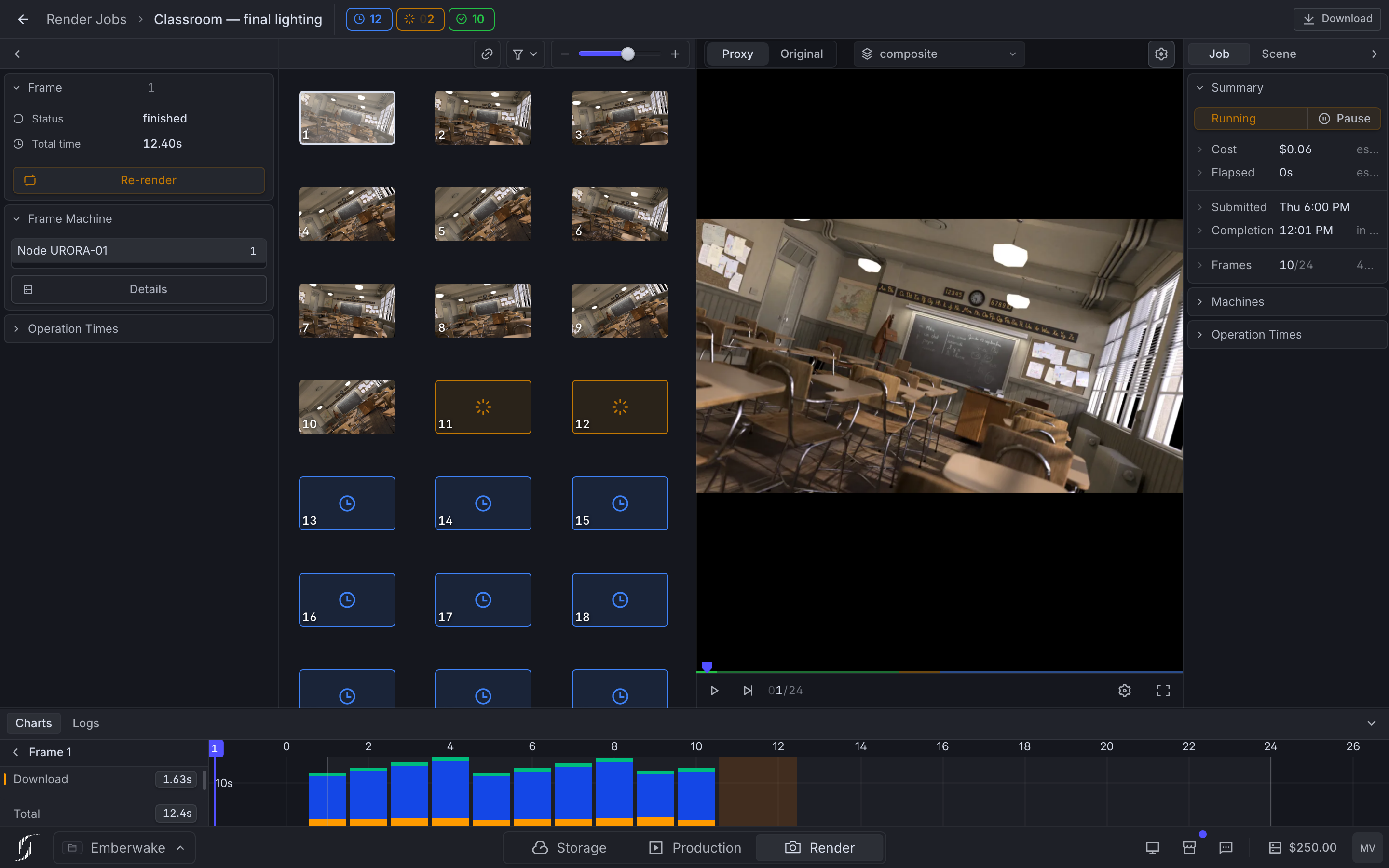
The job page combines the frame sequence, selected-frame details, timing, machine information, and logs. Stop the job when the output is wrong.
The interface comparison scored eight monitoring features across nine services. Only Superluminal confirmed every one.
Frames from across the sequence arrive first
Temporal Refine starts with widely spaced frames. It then fills the gaps until every frame is complete.
Temporal Refine shows the sequence early
The first pass renders widely spaced frames. Later passes fill the gaps.
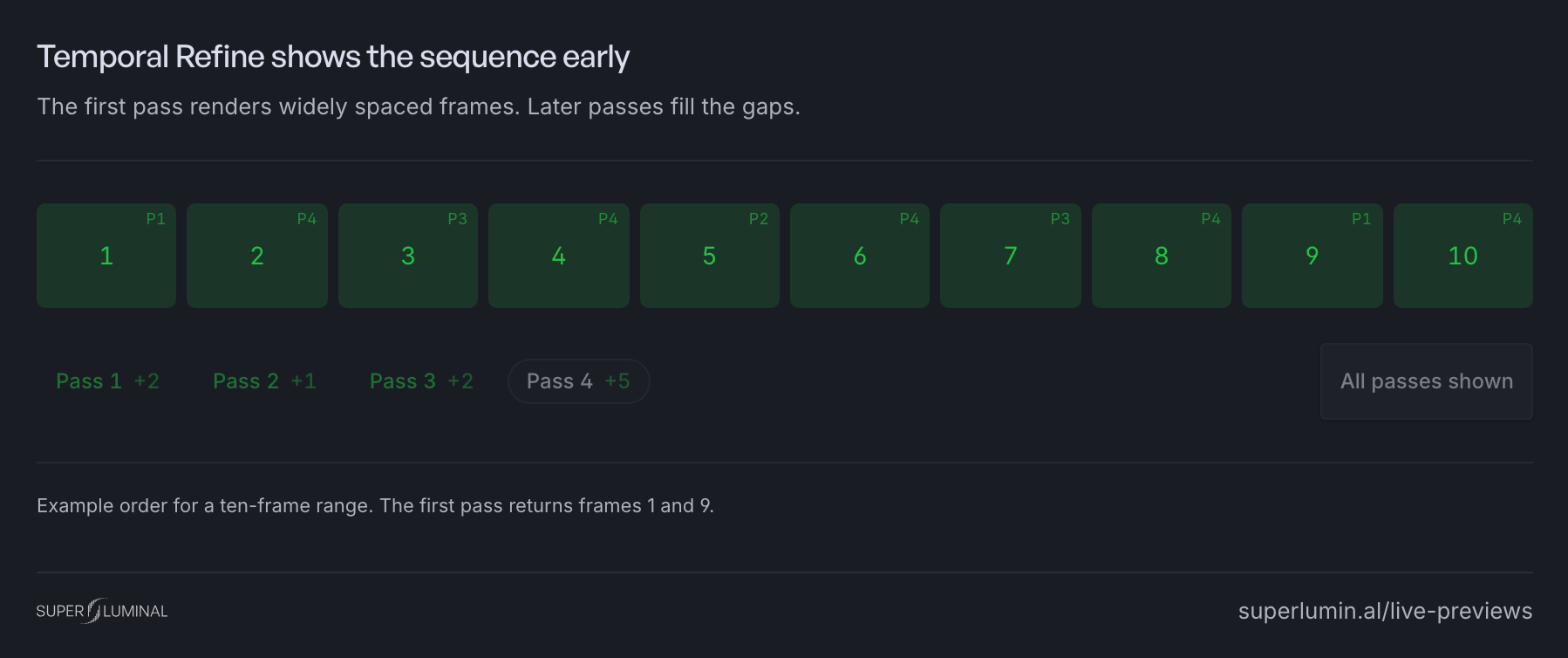
This order helps reveal camera cuts, animation changes, and cache problems earlier than a first-to-last queue.
The frame grid shows each state
Each frame appears as finished, active, or queued. Select a frame to open its preview, render time, node, and log.
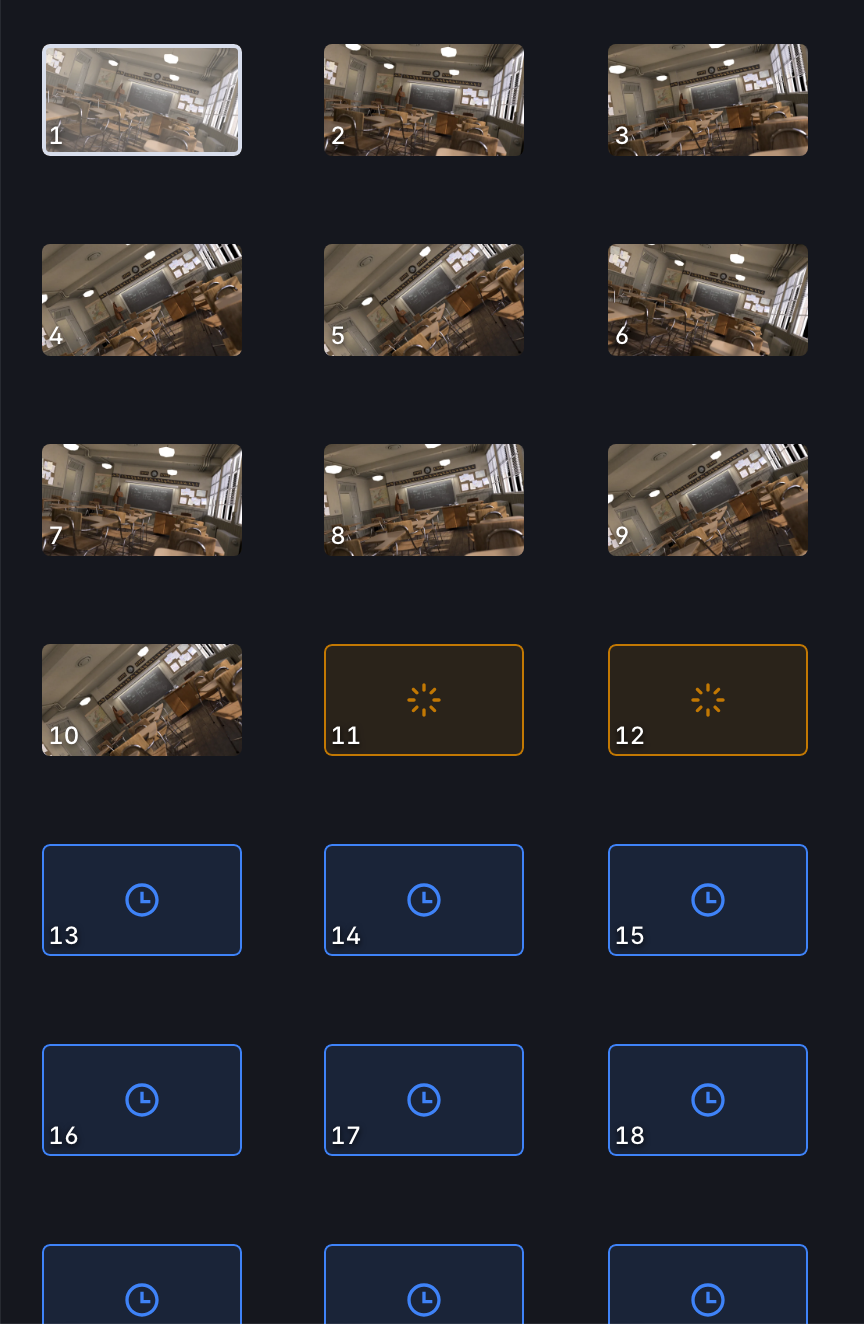
The job details guide explains the grid and the selected-frame panel.
Play the available sequence
Play or scrub the frames that have arrived. The frame timeline shows which frames are still missing.
Use the layer selector to inspect available view layers and passes without leaving the player.

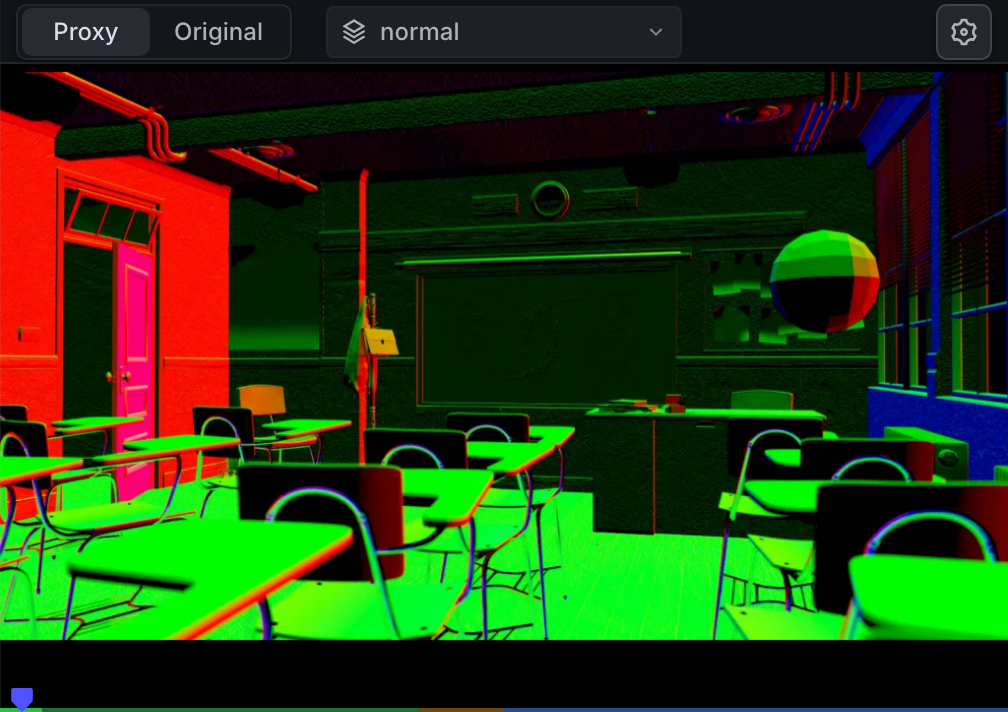
Inspect the original output
The web preview is a smaller copy for quick review. Original mode opens the completed output file.
For supported OpenEXR files, the inspector shows layers, channels, dimensions, pixel values, a histogram, a waveform, and a vectorscope.
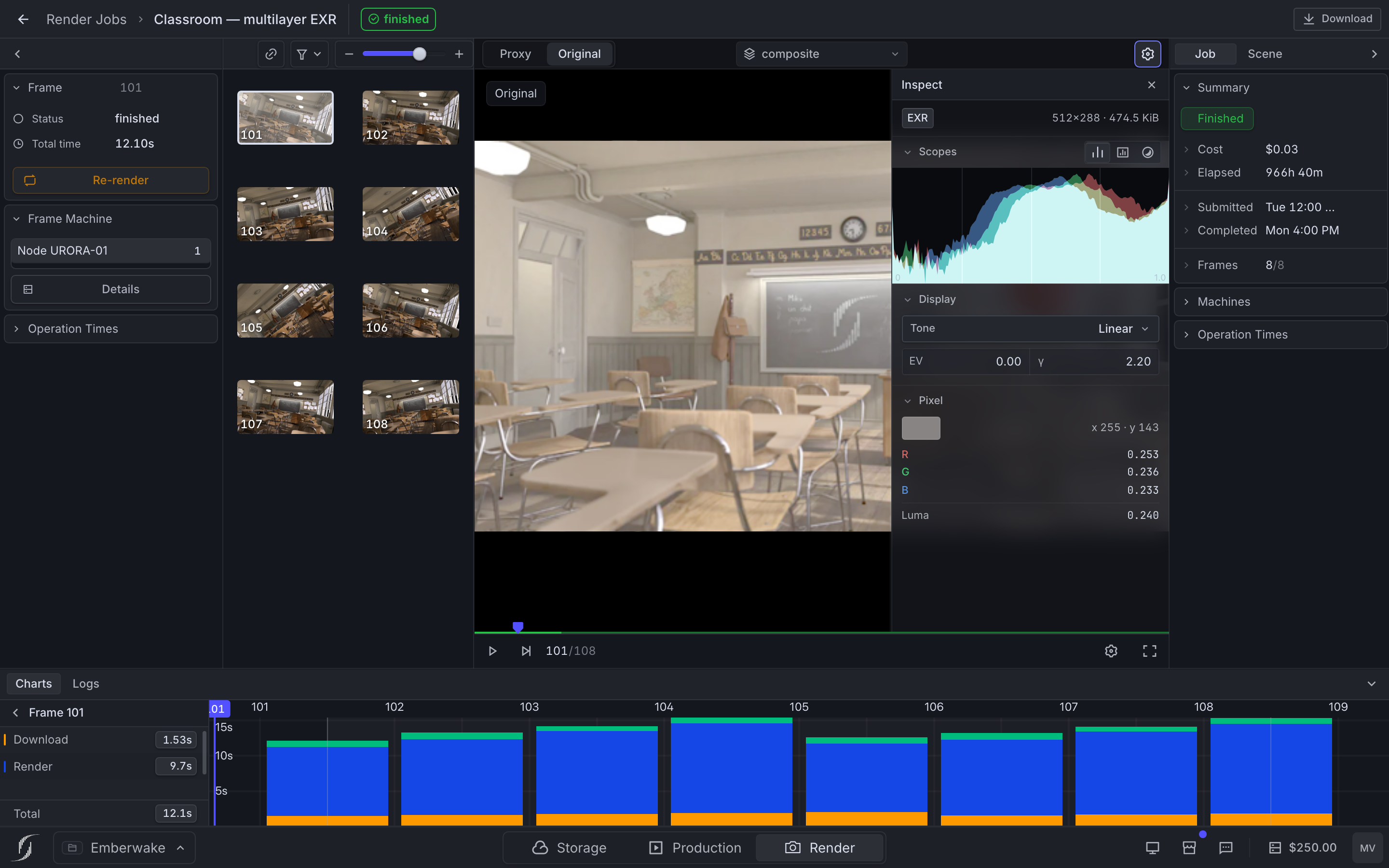
The output inspection guide explains the display and data controls.
Read the frame log
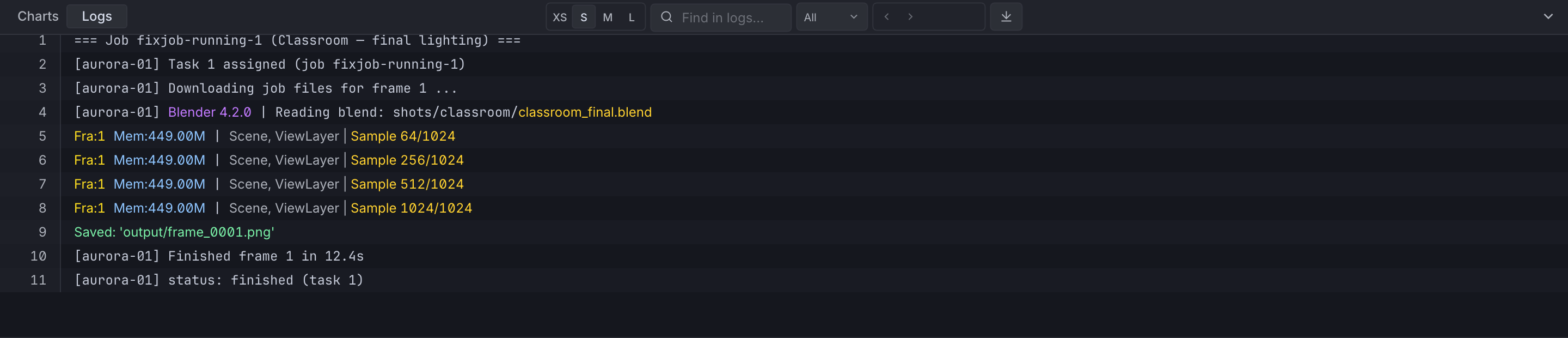
The selected frame's log records missing paths, add-on import failures, device errors, and render stages. Search and severity filters narrow the results.
See project dependencies for missing files and add-on support for activation errors.
Download while rendering
Download as frames finish saves completed original files while other nodes continue rendering. An interrupted transfer can resume.
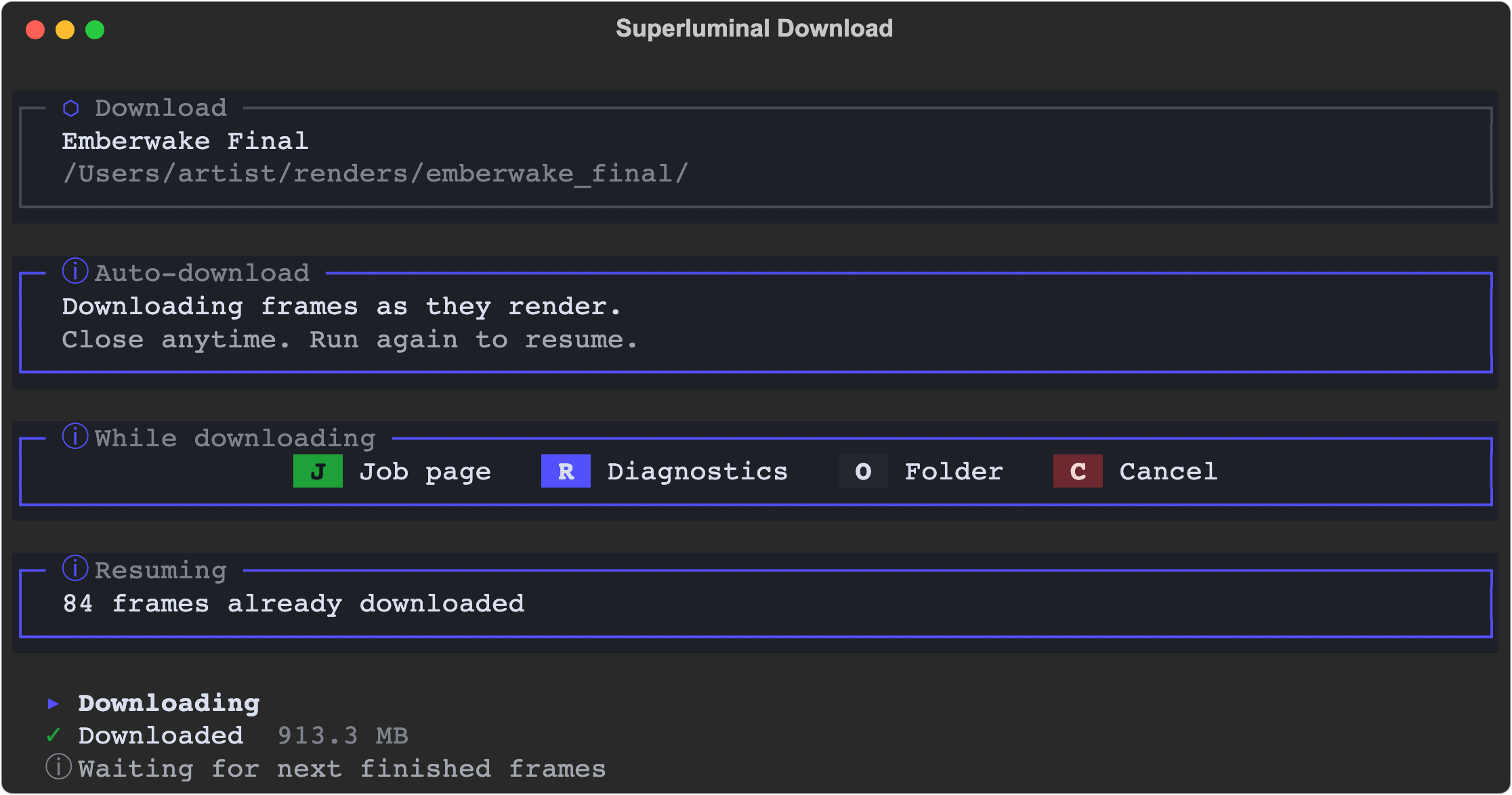
See manage and download jobs and the measured delivery flow.