How Superluminal is so fast
By Superluminal Engineering
Superluminal posted the shortest render pipeline and delivered complete local output first in all four benchmark scenes. The margin comes from removing work around each frame.
Published 2026-08-05 · Updated 2026-08-06
- Fastest render pipelines
- Four of four benchmark scenes
- Classroom scaling
- 411.0 s to 90.5 s
- Blender reuse
- One Blender process for later frames
- Output delivery
- Finished outputs transfer during rendering
Superluminal recorded the shortest render pipeline in all four benchmark scenes.
Farm time after upload at 5 and 30 selected nodes.
Later frames in the same job can reuse the process.
The add-on retrieves available files while later frames continue.
Superluminal delivered all four benchmark scenes to local disk first and recorded the shortest render pipeline in the three Cycles scenes. On Classroom, 30 nodes completed the pipeline in 90.5 seconds. The next fastest tested service took 163.6 seconds.
That 73.1-second lead came from the system, not a faster Blender setting. We measure and remove delays in submission, scheduling, process startup, output handling, and delivery. Most of that work is explained below. One part is not.
The benchmark result behind the speed work
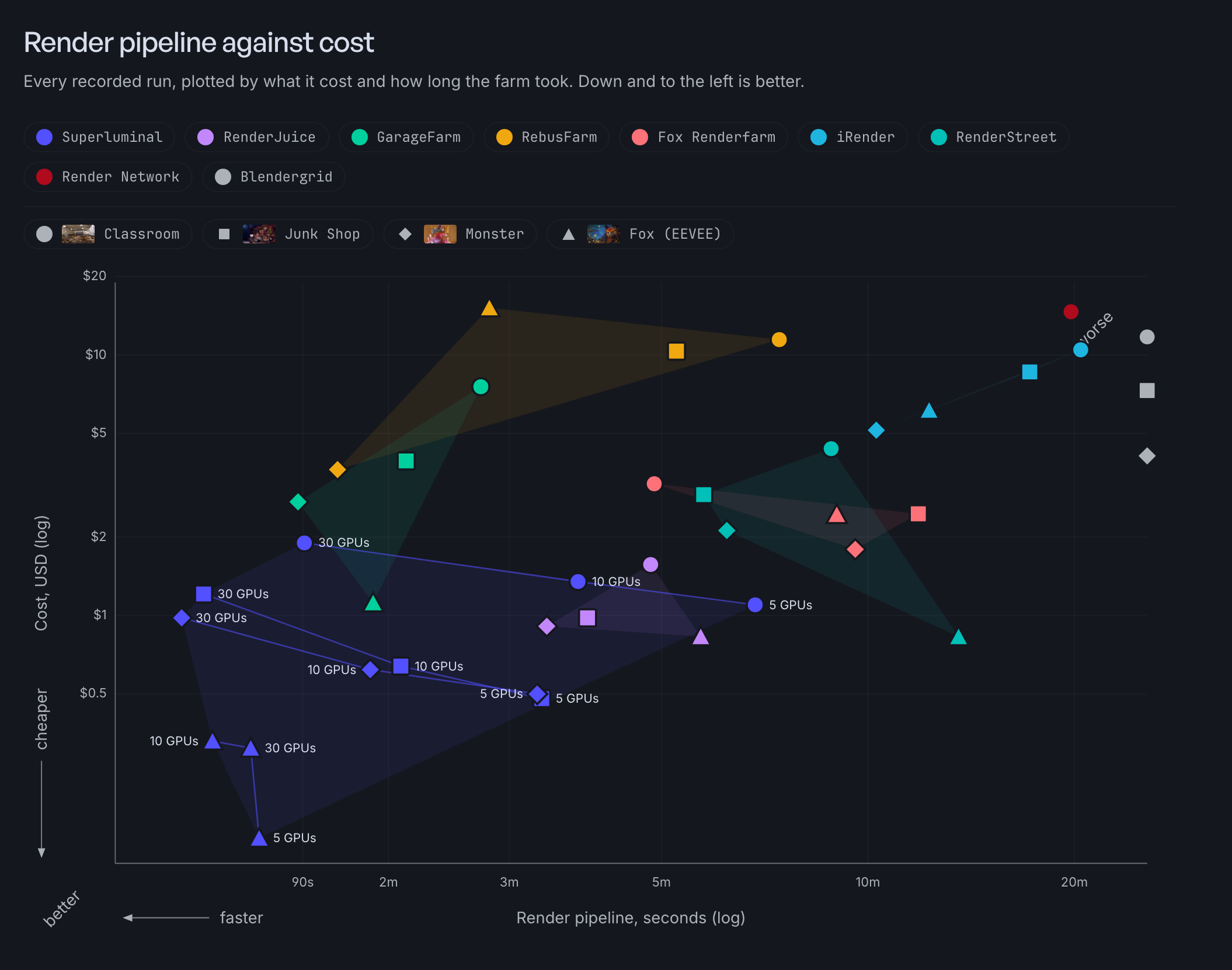
Every completed render pipeline stays visible. Superluminal's connected points show how five, ten, and 30 nodes changed render time and charge.
More nodes solve only part of the wait
Classroom's render pipeline fell from 411.0 seconds on five nodes to 90.5 seconds on 30 nodes. Six times as many nodes produced a 4.5-fold gain.
The gap exposes the fixed-cost floor. Every job still starts workers and Blender, opens the project, and waits for its last group of frames. More capacity cannot divide those costs.
The Persistence Engine pays startup once
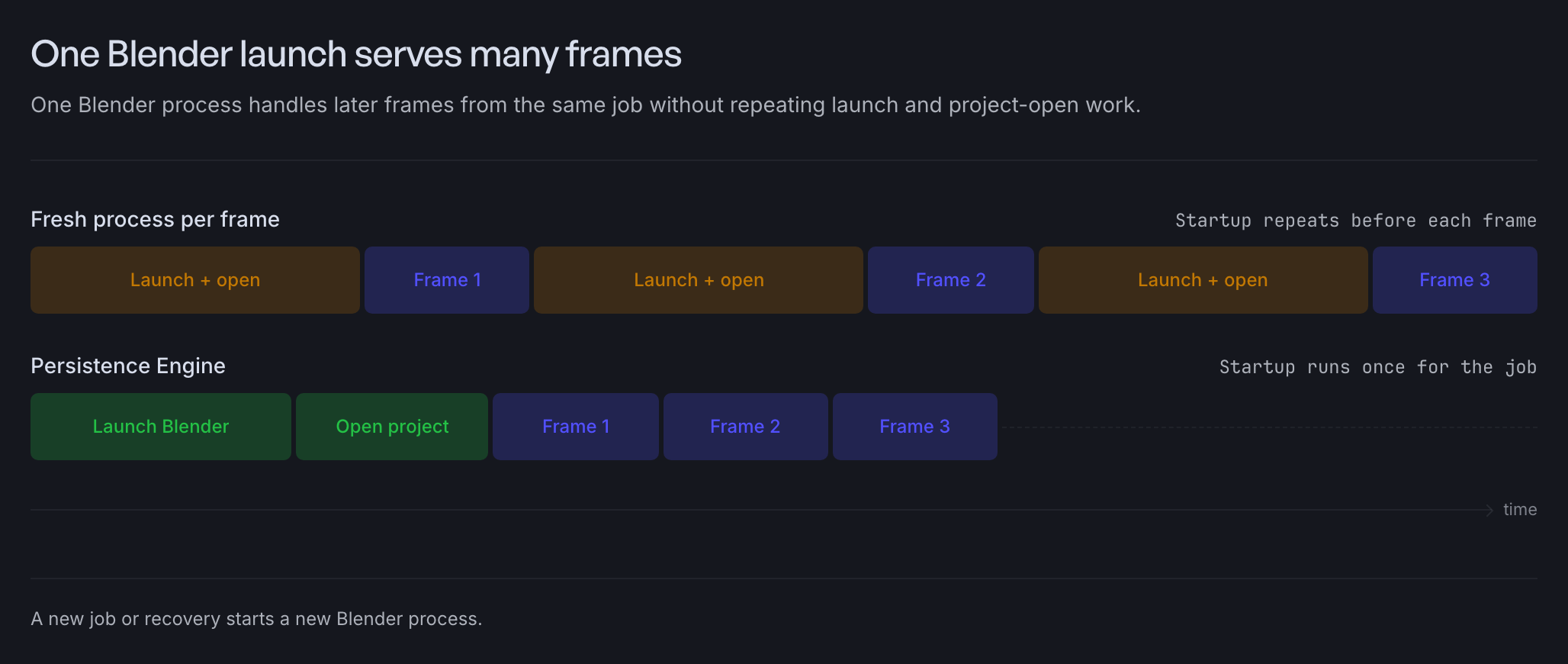
Starting Blender and opening the same project for every frame repeats work that cannot improve the image. The Persistence Engine keeps one Blender process available for later frames from the same job.
After a frame finishes, the engine changes the frame number and output path before it starts the next render. A new job or a recovery starts a new Blender process, which keeps reuse inside the job that created it.
One Blender launch serves many frames
One Blender process handles later frames from the same job without repeating launch and project-open work.
A controlled test isolates the saved time
A controlled Blender 5.1.1 test rendered the same six-frame Cycles animation in two ways. Six fresh processes took a median 2.943 seconds, while the Persistence Engine took 0.849 seconds with one process.
The Persistence Engine removed 2.094 seconds, or 71.2 percent of the measured wall time. All 42 paired frame comparisons had identical decoded pixels.
One Blender launch cut wall time by 71.2 percent
Seven paired Blender 5.1.1 repeats compared six fresh processes with the Persistence Engine.
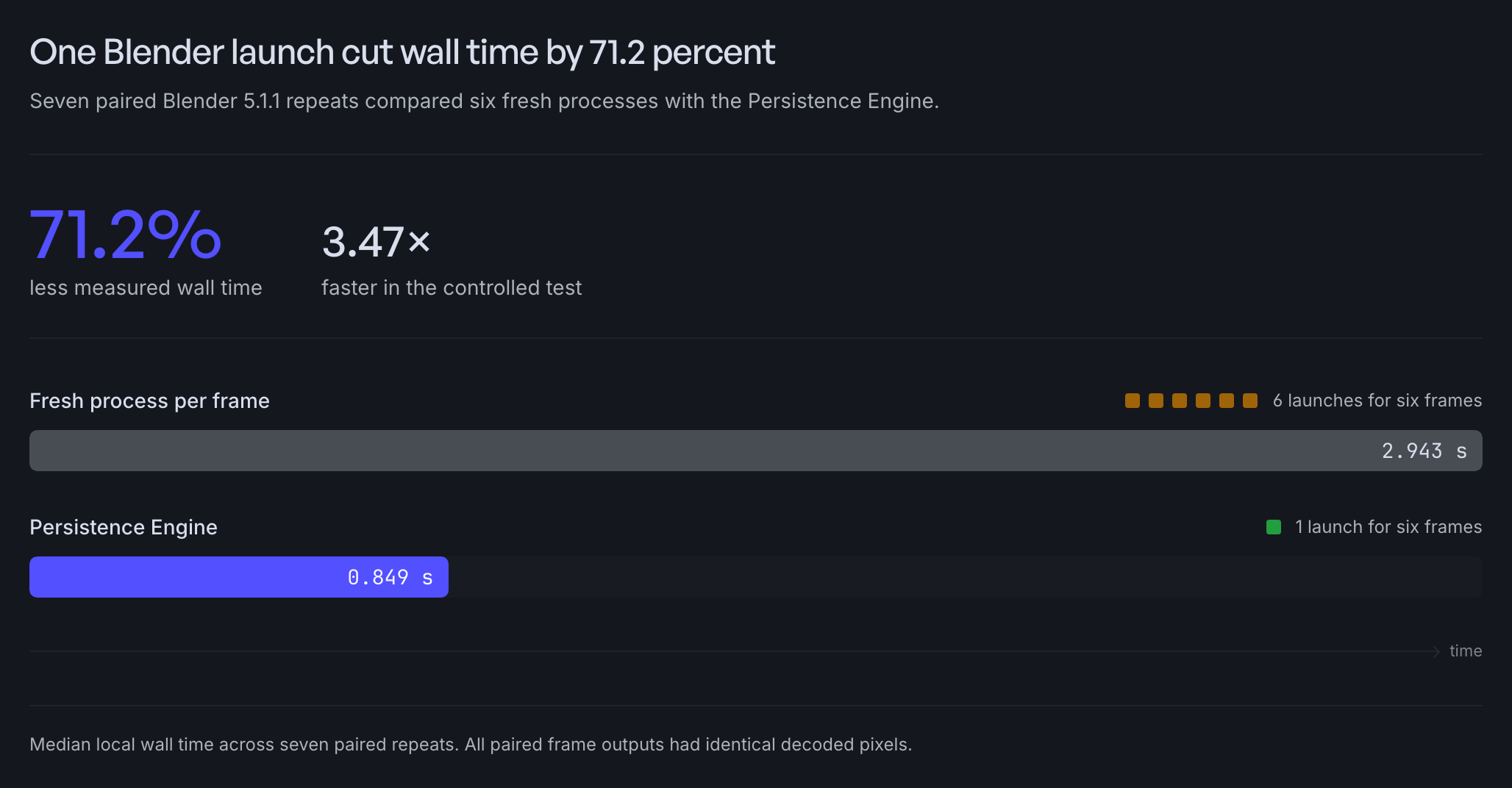
This test used one Apple M5 Pro, CPU rendering, one small synthetic scene, and seven paired repeats. It excluded the network, queue, scheduler, upload, and download path.
The test therefore measures the principle, not production farm speed. Long frames make startup a smaller percentage of total time, but every reused frame still avoids another Blender launch and project open.
The render node settings guide explains when to enable the Persistence Engine and how to check scene compatibility.
Render nodes should spend their time rendering
A finished frame still needs output preparation and upload. A node that does that work in sequence leaves its GPU idle between frames.
Superluminal moves finished output to separate background workers, so the render node requests its next frame while they upload the earlier result. Paid capacity returns to Blender sooner, and completed files start moving toward your workstation before the job ends.
Download frames while later frames render
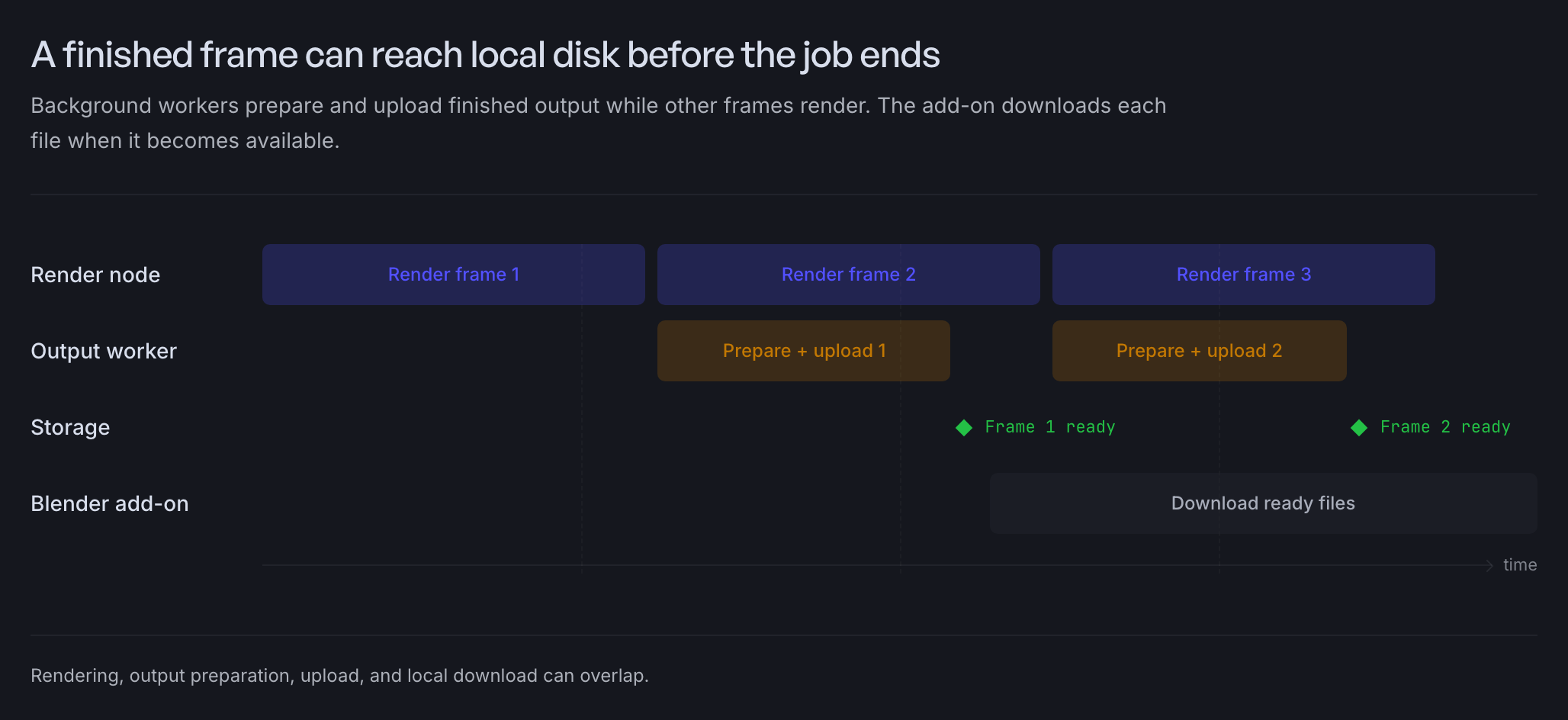
The Blender add-on checks for new output throughout the job and downloads available files in parallel. You can inspect, edit, or composite early frames without waiting for one final archive.
A finished frame can reach local disk before the job ends
Background workers prepare and upload finished output while other frames render. The add-on downloads each file when it becomes available.
The download guide covers live polling, resume behavior, and original output files. Live previews explains browser review.
The scheduler is the part we keep secret
Every mechanism on this page has a public explanation. The scheduler does not, and that is deliberate. Its placement rules are the proprietary core of the farm. After every status change, they decide which ready frame lands on which node. Nothing waits for a batch boundary, and nothing idles while a decision is pending.
Frame ordering, node selection, and failure recovery run beside those rules as one tuned system. A slow decision between frames wastes the same user time as a slow render, so we engineer decision time down the way other farms chase render time.
You can see what the rules do without seeing them. Ten Superluminal nodes finished Classroom's render pipeline ahead of a farm that showed 129 nodes running. That gap is not hardware. It is placement.
The full benchmark publishes every recorded run, charge, and timing boundary. The placement rules stay ours.